










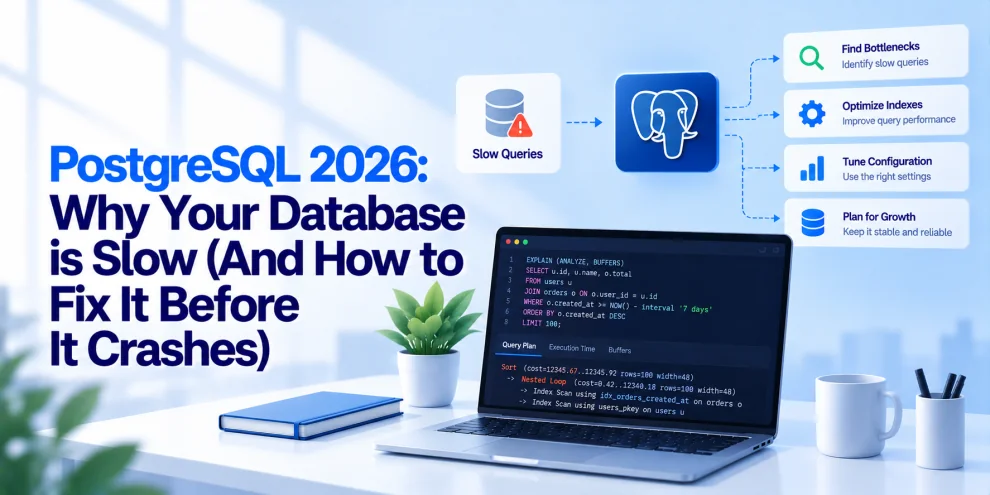

PostgreSQL is a powerful foundation for modern backend applications, from SaaS platforms and financial systems to e-commerce services and data-intensive APIs. But as applications grow, database performance can become a serious bottleneck. API requests take longer, connection pools fill up, CPU utilization climbs, queries begin timing out, and services that once handled traffic comfortably start struggling under ordinary workloads.
The dangerous part is that database performance rarely degrades for just one reason. A slow query can increase connection occupancy. More concurrent connections can increase memory pressure. Lock contention can delay transactions. Poor indexing can turn routine lookups into expensive scans. If these problems accumulate during a traffic spike, a database slowdown can become an application-wide incident.
In 2026, backend teams need to treat PostgreSQL performance as an ongoing engineering discipline rather than something to investigate only after users report problems. The goal is to identify bottlenecks early, optimize the right layer, and preserve predictable performance as workloads grow.
Why PostgreSQL Becomes Slow
A PostgreSQL database can slow down because of inefficient SQL, missing or poorly designed indexes, outdated statistics, excessive connections, storage latency, lock contention, memory pressure, or inefficient application access patterns.
The first mistake is assuming that slow queries always mean the database server needs more CPU or memory. Scaling up can temporarily reduce symptoms, but it will not necessarily fix a query that scans millions of unnecessary rows or an application that opens too many database connections.
Before changing configuration, identify where time is being spent.
Is PostgreSQL executing an expensive query? Is the query waiting for a lock? Is the application waiting for a connection from its pool? Is storage latency increasing? Is the database spending time processing repeated requests that could be cached or combined?
The answer determines the fix.
1. Find the Queries Consuming the Most Resources
The fastest way to improve PostgreSQL performance is often to identify the queries responsible for the greatest amount of database work.
PostgreSQL provides several tools for doing this. The pg_stat_statements extension tracks planning and execution statistics for SQL statements, helping teams identify queries with high total execution time, frequent execution, or excessive resource consumption.
For example, a query that takes 80 milliseconds may appear harmless. If it runs 50,000 times in a short period, its cumulative impact can be significant. A query that takes several seconds but runs only once a day may be less urgent, depending on its business importance.
Start by examining:
- Total execution time across repeated queries.
- Average and maximum execution duration.
- Calls per query.
- Rows returned compared with rows processed.
- Shared block hits and reads.
- Temporary files and disk activity.
- Query plans and execution estimates.
For a query that appears unusually expensive, use EXPLAIN to inspect the planner’s chosen execution strategy. Use EXPLAIN (ANALYZE, BUFFERS) in a safe environment or with appropriate production precautions to compare estimated and actual execution behavior.
Be careful: EXPLAIN ANALYZE actually executes the statement. For queries that modify data, it can have real effects unless executed inside a properly managed transaction that is rolled back where appropriate. Even read-only queries can impose significant load.
The objective is to optimize measured bottlenecks rather than guessing which database setting might help.
2. Fix Missing and Inefficient Indexes
Indexes help PostgreSQL locate rows without scanning an entire table. When a frequently executed query filters or joins on columns that lack suitable indexes, the database may perform expensive sequential scans.
Consider a backend API that retrieves orders for a particular customer:
SELECT id, status, total_amount, created_at
FROM orders
WHERE customer_id = $1
ORDER BY created_at DESC
LIMIT 20;
If the orders table contains millions of rows, an appropriate index may substantially reduce the amount of work required.
One possible index is:
CREATE INDEX idx_orders_customer_created
ON orders (customer_id, created_at DESC);
This index aligns with the filter and ordering in the query. Whether it is the best choice depends on the table structure, data distribution, query plan, and other workload patterns.
Index design requires more than indexing every column used in a WHERE clause. Composite indexes depend on column order, and indexes consume storage while adding overhead to inserts, updates, and deletes.
For example, indexing a low-selectivity column that appears in many queries may provide little benefit unless it forms part of a useful composite or partial index.
Partial indexes can help when queries repeatedly target a subset of records. For example, an application may frequently retrieve pending jobs:
CREATE INDEX idx_jobs_pending
ON jobs (created_at)
WHERE status = 'pending';
This can be useful when the pending subset is relatively small and the query matches the index predicate.
After creating an index, verify that PostgreSQL actually uses it for the intended workload. An index existing in the schema does not guarantee that a query will benefit from it.
3. Read Query Plans Before Rewriting SQL
Two SQL statements that return the same results can have very different performance characteristics.
PostgreSQL’s query planner chooses how to retrieve, filter, join, and sort data. Understanding that plan is essential when a query becomes slow.
For example:
EXPLAIN (ANALYZE, BUFFERS)
SELECT *
FROM orders
WHERE customer_id = 8472;
The output can reveal whether PostgreSQL uses a sequential scan, index scan, bitmap scan, or another execution strategy. It also reports actual execution information when ANALYZE is included.
Look for warning signs such as:
- Large sequential scans on tables where only a small number of rows should match.
- Significant differences between estimated and actual row counts.
- Expensive sorts or hash operations.
- Large numbers of rows removed by filters.
- Repeated nested-loop operations over unexpectedly large datasets.
- High buffer reads or temporary disk activity.
A sequential scan is not automatically bad. For a small table or a query returning a large portion of its rows, it may be the most efficient plan.
Similarly, a nested-loop join can perform very well when the inner relation is efficiently indexed and the outer result set is small.
The important question is whether the chosen plan matches the actual workload and data distribution.
4. Keep Statistics and Vacuuming Under Control
PostgreSQL relies on table statistics to estimate row counts and select efficient query plans. When statistics become outdated, the planner may choose a less efficient execution strategy.
Autovacuum helps maintain database health by cleaning up dead tuples, updating visibility information, and supporting transaction ID maintenance. It also works alongside automatic statistics collection through ANALYZE.
If autovacuum cannot keep up with write activity, tables can accumulate dead tuples and require more work during queries. Poorly maintained tables may also experience index bloat and degraded cache efficiency.
Teams should monitor:
- Autovacuum activity and duration.
- Dead tuple estimates.
- Table and index growth.
- Analyze frequency.
- Long-running transactions that prevent cleanup.
- Transaction ID age and wraparound-related warnings.
Avoid disabling autovacuum as a quick performance fix. That can create more serious problems over time.
For heavily updated tables, default autovacuum thresholds may not be aggressive enough. Per-table settings can help, but they should be based on table size, update patterns, available resources, and observed maintenance behavior.
Maintenance operations also need planning. VACUUM FULL, for example, can require an exclusive lock and should not be treated as a routine, zero-downtime cleanup command.
Healthy maintenance practices help keep query planning reliable and prevent database housekeeping from becoming an emergency.
5. Stop Opening Too Many Database Connections
Connection management is one of the most common sources of backend database trouble.
PostgreSQL uses a process-based architecture for client connections. Each connection consumes resources, and a large number of active sessions can increase memory pressure, scheduling overhead, and contention.
The problem often starts in the application layer. A backend service creates a separate connection pool, then additional replicas are deployed. Background workers create their own pools, and scheduled jobs open more connections. Eventually, the total number of possible connections exceeds what the database can comfortably support.
For example, if 30 application replicas each allow 40 connections, the application tier alone can potentially request 1,200 connections, before accounting for administrative sessions and other services.
The fix is to calculate the connection budget across the entire deployment, not configure each service independently.
Connection pooling tools such as PgBouncer can reduce the number of direct PostgreSQL connections by allowing many application clients to share a smaller pool of database connections. Transaction pooling can be effective for suitable workloads, but it changes connection semantics and may be incompatible with some session-level features.
Teams should also configure application pool sizes, connection timeouts, idle connection handling, and request cancellation appropriately.
A database with a sensible connection strategy is generally easier to scale and operate than one exposed to uncontrolled connection growth.
6. Reduce Long Transactions and Lock Contention
Not every slow query is actively consuming CPU. Some queries spend most of their time waiting for another transaction to release a lock.
PostgreSQL uses locks to maintain transactional correctness. Problems arise when transactions remain open for too long, update heavily contested records, or acquire locks in patterns that create contention.
Consider an application that starts a transaction, updates a customer record, and then makes several slow external API calls before committing. The transaction may hold database locks throughout those network operations, delaying other requests that need the same resources.
Database transactions should generally remain focused on database work. External calls, lengthy computation, and user interaction should happen outside the transaction whenever the application can preserve correctness that way.
Useful diagnostic views include pg_stat_activity for session state and query information, and pg_locks for inspecting lock activity. PostgreSQL also reports deadlock errors when it detects conflicting lock cycles.
Production teams should review:
- Long-running transactions.
- Sessions idle inside transactions.
- Frequently blocked queries.
- Deadlock frequency.
- Lock wait duration.
- Queries updating highly contended rows.
Setting appropriate statement_timeout, lock_timeout, and idle_in_transaction_session_timeout values can help prevent certain requests from holding resources indefinitely. These settings should be tailored to workload requirements rather than applied blindly.
7. Tune Memory and Checkpoint Behavior Carefully
PostgreSQL configuration affects how queries use memory and how data is written to storage. However, increasing every memory-related setting does not automatically improve performance.
shared_buffers controls the memory PostgreSQL uses for shared data caching. work_mem is used for operations such as sorts and hash tables, but it can be allocated multiple times within a query and across concurrent sessions. Setting it too high can create substantial memory pressure.
maintenance_work_mem influences certain maintenance operations, including vacuuming and index creation. Checkpoint-related settings affect how dirty data is written and can influence write latency and background I/O behavior.
Before changing configuration, determine whether the database is constrained by memory, CPU, storage, or query design.
Monitor memory consumption, cache behavior, temporary file generation, checkpoint activity, and storage latency. Test configuration changes against representative workloads and use gradual rollouts when possible.
Managed PostgreSQL services may expose only some settings, and cloud providers may apply their own operational constraints. Always account for the specific deployment environment.
8. Avoid Returning More Data Than the Application Needs
A query can be expensive simply because it retrieves too much information.
Using SELECT * in high-traffic API paths can increase data transfer, memory usage, row processing, and application serialization overhead. Returning thousands of rows when the interface displays only a few records creates unnecessary work for both the database and the backend.
Instead, retrieve only the required columns:
SELECT id, name, status
FROM customers
WHERE id = $1;
For large datasets, pagination can help control response size. Keyset pagination is often preferable to deep offset pagination because PostgreSQL may need to scan or discard many rows when an offset becomes large.
For example:
SELECT id, created_at, status
FROM orders
WHERE customer_id = $1
  AND created_at < $2
ORDER BY created_at DESC
LIMIT 50;
This pattern uses a cursor based on the previous page’s timestamp. In production, use a stable ordering and include a unique tie-breaker, such as the order ID, when timestamps can repeat.
Reducing unnecessary data retrieval can improve database efficiency and backend response times at the same time.
9. Prevent N+1 Queries in Backend Applications
An N+1 query problem occurs when an application fetches a collection of records and then performs an additional query for each record.
For example, a service retrieves 100 orders and then executes a separate query to fetch the customer for every order. Instead of making a small number of database calls, the application generates more than 100 queries for a single request.
This increases round trips, query planning overhead, connection occupancy, and database workload.
Depending on the use case, solutions include joins, batch loading, carefully designed eager loading, or queries that retrieve related records in a single operation.
However, joining everything into one enormous query is not always optimal. Large joins can duplicate data, increase memory usage, or produce complex plans. The goal is to reduce unnecessary database round trips while keeping queries manageable.
Backend teams should inspect ORM-generated SQL and measure actual query counts. An ORM can improve developer productivity, but it does not guarantee an efficient database access pattern.
10. Scale the Database Only After Measuring the Bottleneck
When PostgreSQL slows down, adding CPU, memory, or faster storage may help. But scaling should follow evidence.
If queries are inefficient, a larger database may only postpone the problem. If the bottleneck is lock contention, adding CPU will not necessarily resolve it. If the application opens too many connections, increasing database size may increase the maximum connection capacity without fixing inefficient connection usage.
Once query design, indexing, connection management, and maintenance have been reviewed, evaluate the remaining infrastructure constraints.
Vertical scaling can help when the workload needs more compute or memory. Read replicas can offload eligible read traffic, but they introduce replication lag and do not solve every query bottleneck. Caching can reduce repeated reads when the data’s freshness requirements allow it. Partitioning may help specific large-table workloads, but it adds operational complexity and should be justified by measured access patterns.
Each scaling decision should solve a defined constraint rather than serve as a substitute for diagnosis.
11. Monitor PostgreSQL Before Users Notice
Database performance monitoring should combine query-level information with infrastructure and application metrics.
At the database layer, track query latency, transaction rates, active and idle connections, lock waits, deadlocks, cache behavior, temporary file generation, replication lag, and autovacuum activity.
At the infrastructure layer, monitor CPU utilization, memory pressure, disk latency, IOPS, storage capacity, and network performance.
At the application layer, measure API latency percentiles, request timeouts, pool wait time, error rates, and database time per request.
PostgreSQL’s built-in statistics views provide a useful starting point. Extensions such as pg_stat_statements, together with cloud monitoring or observability platforms, can help teams identify regressions and correlate database behavior with application incidents.
Alerts should focus on actionable conditions. A high CPU reading by itself does not always indicate a problem. A sustained increase in query latency combined with connection saturation and rising API errors is a much stronger signal.
12. Prepare for Traffic Spikes and Failure Recovery
A database that performs well under normal traffic can still fail under a sudden surge in demand.
Traffic spikes increase query concurrency, connection usage, lock contention, and storage activity. If the application retries failed requests aggressively, the retry traffic can amplify the original problem.
Backend systems should use bounded retries with backoff and jitter, request timeouts, connection pool limits, and appropriate load shedding. Requests that cannot be served safely should fail predictably rather than exhaust every available database resource.
Load testing should reproduce realistic query patterns, data volumes, concurrency, and transaction behavior. Test both steady-state traffic and bursts, and verify recovery after the load returns to normal.
Backups and point-in-time recovery are equally important, but they serve a different purpose from performance optimization. A fast database is not necessarily recoverable, and a recoverable database is not necessarily fast. Both operational capabilities need explicit testing.
A Practical PostgreSQL Performance Checklist
Before making major changes, backend teams should work through a consistent diagnostic process:
- Identify the slowest and most expensive queries using
pg_stat_statementsand application telemetry. - Inspect execution plans for expensive queries with
EXPLAINand, where appropriate,EXPLAIN ANALYZE. - Review index usage, composite index design, and unused indexes.
- Check table statistics, autovacuum activity, dead tuples, and long-running transactions.
- Measure connection pool utilization, active sessions, and connection wait time.
- Investigate lock waits, deadlocks, and transaction duration.
- Review memory pressure, storage latency, checkpoint behavior, and temporary file activity.
- Inspect ORM queries for N+1 patterns and unnecessary data retrieval.
- Benchmark changes against realistic traffic and data volumes.
- Verify that backups, recovery procedures, alerts, and rollback plans are operational.
This sequence helps teams address the highest-impact problems first instead of changing multiple settings without knowing which change mattered.
Where Engineering Partners Add Value
PostgreSQL performance depends on the interaction between database design, backend code, application traffic, infrastructure, and operational practices. Improving one layer while ignoring the others can leave the real bottleneck untouched.
Engineering partners such as GeekyAnts help organizations assess backend architecture, optimize data access patterns, improve API performance, and build production-ready database operations. The focus should be on measurable improvements in query efficiency, reliability, and scalability rather than configuration changes made without evidence.
The Real Goal Is Predictable Database Performance
PostgreSQL does not usually become slow because a single setting is wrong. Performance problems emerge when query patterns, data growth, resource allocation, connection management, and maintenance practices stop matching the demands placed on the system.
The most reliable approach is to identify the bottleneck, measure it, apply a targeted fix, and validate the result under realistic conditions. Better indexing, efficient SQL, sensible connection pooling, healthy vacuuming, shorter transactions, and meaningful observability can often deliver more value than simply buying a larger database instance.
In 2026, backend teams should not wait for PostgreSQL to become unresponsive before investing in performance engineering. They should establish baselines, monitor trends, test capacity limits, and build safeguards that prevent small inefficiencies from becoming production incidents.
A database that is fast today is useful. A database that remains predictable as data, traffic, and application complexity grow is what production systems actually need.
For more, visit our homepage!




Add Comment