









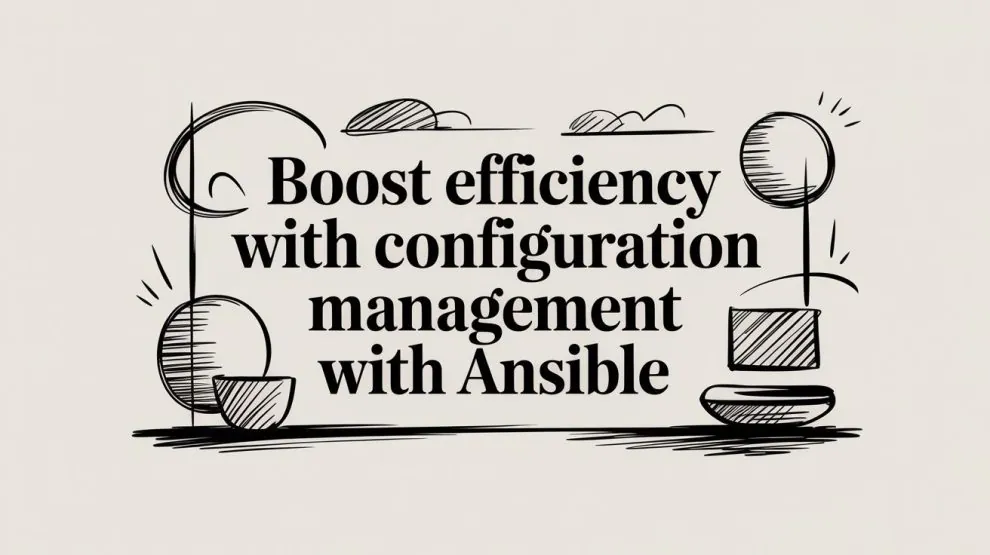

You probably have a few servers that started out “close enough” to identical. Then one got a hotfix over SSH. Another got a package update during an incident. A third was rebuilt from an old note in a wiki page nobody trusts anymore. That’s the moment configuration management with ansible stops being a nice idea and starts becoming operational hygiene.
Backend teams usually feel this pain first in the least glamorous places. Nginx configs drift. System packages diverge. App users differ by host. A deployment works on staging and fails on one production node because someone changed a file manually three months ago. Ansible helps because it turns those machine-level differences into code you can inspect, review, and run again.
The mistake I see most often is treating Ansible like a remote shell runner. That works for a week. Then the playbooks become a pile of imperative commands, secrets leak into repos, and failures are hard to diagnose. Production-ready Ansible looks different. It uses idempotent modules, clean inventories, reusable roles, encrypted secrets, and fault-handling patterns for the times your infrastructure doesn't cooperate.
Understanding Ansible's Agentless Architecture
Ansible exists to solve configuration drift. If two servers should be the same, drift is every unmanaged difference between them. Left alone, drift turns routine maintenance into guesswork.
Ansible’s design is why it became so practical for backend infrastructure. It was released in 2012 and introduced agentless automation via SSH, which made it possible to manage environments from 5 to 5,000 servers without installing software on target systems. In the same source, Red Hat surveys conducted in 2023-2025 report that 85% of enterprises saw faster provisioning times, and Ansible’s idempotent model reduced errors by up to 70% in large deployments, according to OneUptime’s write-up on Ansible at scale.

The control node and managed hosts
Think of Ansible like a disciplined client-server workflow.
The control node is the machine where you run ansible and ansible-playbook. It holds your inventory, playbooks, roles, templates, and secrets handling logic. The managed hosts are your remote servers. Ansible connects to them over SSH, executes modules, and exits. No long-running agent needs to be installed or patched on each target.
That matters for two reasons:
- Less software on servers: You avoid another daemon to update, monitor, and secure.
- Faster adoption: If your hosts already support SSH, you can start managing them quickly. If you're still preparing a Linux machine for remote administration, this guide on enabling SSH on Ubuntu is a useful starting point.
Practical rule: If a tool requires major bootstrapping before you can use it, teams postpone standardization. Ansible lowers that barrier.
Inventory is where infrastructure becomes intentional
A lot of beginners treat inventory as a flat host list. That leaves value on the table.
Inventory does more than tell Ansible where servers live. It defines groups, environment boundaries, and often the first layer of variable scoping. A simple inventory might separate web, api, and db hosts. A more realistic one separates staging from production, then nests service groups inside each.
That structure is what lets you say “apply this hardening to every Debian-based host” or “restart this service only on API nodes in staging.” Without inventory discipline, playbooks become full of one-off exceptions.
Playbooks, tasks, and modules
Ansible’s execution model is simple on purpose.
A playbook is a YAML file that declares what should happen on a group of hosts. A play targets hosts. A task does one thing. A module is the implementation that performs that task remotely.
A clean mental model looks like this:
| Component | What it answers |
|---|---|
| Inventory | Which hosts are involved |
| Playbook | What outcome you want |
| Task | One step toward that outcome |
| Module | How Ansible performs the step |
The “aha” moment is realizing that modules are where correctness comes from. If you use package modules, service modules, file modules, and template modules, Ansible can check state before changing it. If you use shell commands for everything, you throw away most of what makes configuration management with ansible safe.
Why agentless doesn't mean simplistic
Agentless doesn’t mean weak. It means the control model is lightweight.
You can still manage complex estates, coordinate service changes, and express infrastructure as code in Git. That Git workflow is often the upgrade. Pull requests replace tribal memory. Reviews replace midnight copy-paste. Re-running automation becomes normal instead of risky.
Good Ansible isn't about “remote execution.” It's about making server state reviewable and repeatable.
Building Your First Automation Playbook
The first useful playbook shouldn't print “hello world.” It should do a job you’d otherwise repeat by hand. Installing and configuring Nginx is a good example because it touches packages, files, and services, which are the core building blocks of most automation.

Start with a minimal but real playbook
A practical first playbook for Debian or Ubuntu hosts looks like this:
---
- name: Configure Nginx web servers
  hosts: web
  become: yes

  handlers:
    - name: restart nginx
      ansible.builtin.service:
        name: nginx
        state: restarted

  tasks:
    - name: Install Nginx
      ansible.builtin.apt:
        name: nginx
        state: present
        update_cache: yes

    - name: Deploy Nginx config
      ansible.builtin.template:
        src: templates/nginx.conf.j2
        dest: /etc/nginx/nginx.conf
        owner: root
        group: root
        mode: "0644"
      notify: restart nginx

    - name: Ensure Nginx is enabled and running
      ansible.builtin.service:
        name: nginx
        state: started
        enabled: yes
This is small, but it already teaches the right habits.
hosts: webtargets a group instead of a single machine.become: yeshandles privileged operations cleanly.aptdeclares package state instead of running package manager commands manually.templatemanages a config file from source control.notifyand a handler restart the service only when the config changes.
Why handlers matter
A lot of backend developers coming from scripting backgrounds restart services after every config task because that feels explicit. It’s also noisy and risky.
Handlers only run when notified. If the template didn’t change, Nginx doesn’t restart. That keeps your runs quieter and avoids unnecessary churn. On stateful systems, this pattern is more than elegance. It prevents avoidable disruption.
The first time you stop restarting services on every playbook run, your automation starts acting like a configuration system instead of a bash script.
A simple template
The paired Jinja2 template might look like this:
user www-data;
worker_processes auto;
pid /run/nginx.pid;

events {
  worker_connections 1024;
}

http {
  sendfile on;
  keepalive_timeout 65;

  server {
    listen 80 default_server;
    server_name _;
    root /var/www/html;

    location / {
      try_files $uri $uri/ =404;
    }
  }
}
The point isn't the exact Nginx directives. The point is that config now lives in version control and can be reviewed like application code.
Inventory and command to run it
If your inventory file is simple, it might be:
[web]
web-01
web-02
Then you run:
ansible-playbook -i inventory.ini site.yml
That command should be boring. Boring is good. It means the deployment path is documented and repeatable.
Later in the same workflow, it helps to watch someone else run through the mechanics before you adapt it to your own stack:
What works and what doesn't
The big dividing line is whether you describe state or steps.
This works well:
- Use package modules:
apt,dnf, oryumknow how to detect whether software is already installed. - Use template and copy modules: They compare content and trigger handlers only when needed.
- Use service modules: They can ensure a service is started, stopped, restarted, and enabled predictably.
This usually ages badly:
- Shell for package installs: You lose state awareness and clean change reporting.
- Inline config edits everywhere: They’re hard to review and often fragile.
- One giant playbook file: It’s fine for day one, not for week six.
Readability beats cleverness
Keep tasks obvious. Backend engineers often over-abstract too early because they’re used to libraries and reusable code. In Ansible, premature abstraction creates a different kind of confusion. If someone can’t glance at a task and understand what machine state it’s enforcing, the playbook becomes hard to trust.
A good first pass usually has:
- Package installation
- File deployment
- Service enablement
- Handler-based restart
That sequence covers a surprising amount of infrastructure work. You can apply the same pattern to app runtimes, process managers, reverse proxies, and worker services.
Organizing Your Code with Roles and Inventories
Single-file playbooks feel productive right up until the day you need the same pattern in two environments. Then duplication spreads fast. One file handles Nginx for staging, another for production, a third for a one-off API cluster. Soon each copy has slightly different variables and nobody knows which one is canonical.
That’s where roles stop being a style preference and become maintenance protection.
When a playbook becomes a role
Suppose your first playbook handles Nginx install, config, and service startup. It starts like this:
- hosts: web
  become: yes
  tasks:
    - name: Install Nginx
      ansible.builtin.apt:
        name: nginx
        state: present
That’s fine. But once you add templates, handlers, defaults, and environment-specific vars, a role is easier to reason about.
A common structure looks like this:
project/
  inventories/
    staging/
      hosts.ini
      group_vars/
    production/
      hosts.ini
      group_vars/
  roles/
    nginx/
      defaults/
        main.yml
      handlers/
        main.yml
      tasks/
        main.yml
      templates/
        nginx.conf.j2
      vars/
        main.yml
  site.yml
This layout solves two recurring problems:
- It separates reusable logic from environment-specific data.
- It gives every concern a stable home, so future changes don’t turn into file-hunting.

What belongs in a role
A role should represent a coherent unit of infrastructure behavior. Good role boundaries often map to things you’d name in a system diagram.
Examples:
nginxpostgresapp_runtimelog_shippingnode_exporter
Weak role boundaries usually come from organizing around file types or tiny helper actions. A role named packages_common may be acceptable. A role named files_misc usually signals that the project has lost shape.
If you can't explain a role in one sentence, it's probably mixing responsibilities.
Inventory should model reality
Teams often invest in roles and neglect inventory design. That leads to brittle conditionals inside playbooks because inventory doesn’t express environment intent clearly enough.
A better inventory reflects how systems are operated:
[web]
web-staging-01

[api]
api-staging-01
api-staging-02

[db]
db-staging-01

[staging:children]
web
api
db
For production, use a separate inventory tree rather than cramming every environment into one flat file. This makes commands explicit and lowers the chance of pointing the wrong playbook at the wrong hosts.
Static versus dynamic inventory
You don't need dynamic inventory on day one. For a small, stable fleet, static inventory is easier to audit and troubleshoot.
Dynamic inventory starts paying off when hosts are created, replaced, or labeled by cloud workflows. In those environments, hand-maintained host lists go stale quickly. The key trade-off is this:
| Inventory type | Best for | Main drawback |
|---|---|---|
| Static | Small, stable environments | Manual updates |
| Dynamic | Cloud and frequently changing fleets | More moving parts to debug |
For backend systems running across multiple autoscaled groups or ephemeral test environments, dynamic inventory is often the right long-term move. But don’t adopt it just because it sounds mature. Add it when manual inventory maintenance becomes the problem.
Group variables and environment variables
Use group_vars to express settings that belong to a host group or environment. That keeps your roles generic.
For example:
# inventories/staging/group_vars/web.yml
nginx_worker_processes: auto
app_env: staging
Then the role template uses variables, not hardcoded values. This gives you reuse without creating ten slightly different roles for ten contexts.
A practical pattern is:
- Put safe defaults in
roles/<role>/defaults/main.yml - Put environment overrides in
inventories/<env>/group_vars/ - Put sensitive values somewhere encrypted, which we’ll handle in the next section
Don’t build a maze
Some teams over-engineer their Ansible repo faster than they over-engineer their app code. They create deep role dependencies, hide logic in variable precedence, and require archaeology to understand one service rollout.
Keep the project understandable:
- Prefer explicit role inclusion: Make
site.ymleasy to read. - Avoid variable name collisions: Short generic names like
portbecome dangerous. - Resist nested indirection: If a variable points to a variable that points to another variable, debugging gets old fast.
The best organized Ansible codebase usually looks unremarkable. That’s a compliment. It means someone can join the team, inspect the repo, and make a safe change without reading your mind.
Securing and Testing Your Ansible Automation
If your playbooks work but your secrets live in plaintext and your changes aren't tested, the system is not ready for production. It’s only automated.
Security and testability are where configuration management with ansible either earns trust or loses it. Teams usually learn this after the first close call. A password gets committed. A playbook is re-run during an incident and changes more than expected. A “small config fix” lands in production without validation and restarts the wrong service. These aren’t edge cases. They’re normal failure modes for immature automation.
Idempotency is a safety feature
Idempotent playbooks leave the system unchanged after the desired state has already been reached. That means repeated runs are safe. This is critical for GitOps and CI/CD because teams need to re-run automation without causing unintended side effects or cascading failures, as explained in Spacelift’s discussion of idempotent Ansible playbooks.
That sounds abstract until you’ve had to recover from a half-finished deployment. In a real incident, nobody wants to ask, “Can we run the playbook again, or will it make things worse?” The answer should be obvious. Yes, run it again.
Here’s the practical difference:
ansible.builtin.aptwithstate: presentis idempotent.ansible.builtin.shell: apt-get install ...often isn't.- A
templatetask with a handler is idempotent. - A shell command that appends lines to a config file usually isn't.
Re-runnability is what turns automation into an operational tool instead of a one-shot deployment trick.
Secrets don't belong in normal vars files
A common beginner mistake is putting database passwords, API tokens, or TLS materials in group_vars/all.yml because it’s convenient. It is convenient. It’s also how secrets spread through repos, diffs, and shell history.
Use Ansible Vault for anything sensitive that has to live with the codebase. Keep encrypted data in dedicated files so it’s clear what’s secret and what isn’t. That separation matters during review. People can reason about normal config without needing access to production credentials.
A simple pattern looks like this:
# group_vars/production/vault.yml
vault_db_password: super-secret-value
Then reference it indirectly:
db_password: "{{ vault_db_password }}"
This keeps templates and tasks readable while making the secret boundary explicit.
If your infrastructure is reached through a controlled entry point, pair good secret hygiene with network discipline. A properly designed AWS bastion server setup complements Ansible well because it limits how operators and automation reach sensitive systems.
Test before infrastructure becomes the test environment
Ansible doesn’t excuse you from validation. It increases the need for it because mistakes replicate quickly.
A practical testing stack often includes:
- Ansible Lint for catching style and correctness problems early
- Molecule for exercising roles in isolated test environments
- Check mode for previewing potential changes
- Diff mode when reviewing file updates
These tools don’t guarantee correctness, but they catch the kind of mistakes that shouldn’t reach a server. Broken YAML, sloppy task design, and role assumptions are much cheaper to fix before a playbook touches a live host.
Production-readiness has a boring shape
The strongest Ansible repos are boring in all the right places.
| Practice | Why it matters |
|---|---|
| Encrypted secrets | Keeps credentials out of normal source review paths |
| Idempotent modules | Makes re-runs safe |
| Linting | Catches obvious playbook mistakes early |
| Isolated role tests | Prevents “worked on my laptop” automation |
The trade-off is upfront discipline. You write more structure earlier than you would with ad hoc scripts. But that cost is tiny compared with recovering from a bad automated change on a fleet you can’t reason about confidently.
Orchestrating Complex Deployments at Scale
A playbook that works on three hosts can still fail badly on thirty. Scale changes the problem. You’re no longer just configuring servers. You’re coordinating change across a distributed system where partial success is normal and timing matters.
That’s why orchestration needs more than “run this role on all hosts.”

Rolling changes beat all-at-once changes
If you manage API servers, workers, or web nodes behind a load balancer, updating every host at once is the fastest path to turning a deploy into an outage.
Use serial to batch hosts:
- name: Deploy web tier safely
  hosts: web
  serial: 2
  become: yes
  roles:
    - nginx
    - app_runtime
This pattern matters because it gives your system room to absorb failure. If the second batch breaks, the entire fleet isn’t already down.
For backend teams, that’s the practical distinction between configuration management and orchestration. One expresses target state. The other sequences change safely across dependent systems. If you want a broader architecture lens on that distinction, this comparison of orchestration versus choreography is useful background.
Performance tuning matters once fleets grow
At small scale, inefficient playbooks are annoying. At larger scale, they become operational drag.
One of the clearest wins is fact caching. In CI/CD pipelines, caching facts in Redis or JSON files can reduce execution time by 90% on 500-node fleets. The same source notes that fact gathering traditionally takes 10-30 minutes, and caching removes that repeated overhead. It also notes that 75% of DevOps roles in U.S. tech hubs required Ansible in 2025, according to LinkedIn data, as summarized in this Ansible fact caching discussion.
That performance gain changes behavior. Teams stop treating Ansible runs as expensive events and start integrating them into regular delivery workflows.
A second useful lever is SSH pipelining, especially when your tasks are otherwise efficient and connection overhead becomes visible. The exact tuning depends on your environment, but the principle is simple. Don’t pay the same setup cost repeatedly if the workflow allows you to avoid it.
Large-scale Ansible usually gets faster not because one task changed, but because the control path stopped doing unnecessary work.
Facts, inventories, and pipelines work together
Scaling Ansible isn’t just about turning up parallelism. It’s about combining three layers coherently:
- Inventory strategy determines which hosts are targeted and how environments stay separated.
- Execution tuning keeps runs fast enough to use regularly.
- CI/CD integration makes infrastructure changes part of normal delivery, not a special ceremony.
A typical path looks like this:
- A pull request changes a role or template.
- Linting and role tests run in CI.
- A pipeline executes the playbook against a non-production inventory.
- Production runs use batching and explicit approvals.
That workflow reduces handoffs. Backend engineers can change infrastructure code with the same habits they already use for application code: review, test, deploy, verify.
What not to do at scale
Some patterns look convenient early and become painful later.
- Target
alltoo casually: Broad blast radius is fine for facts gathering, less fine for service restarts. - Bake environment logic deep into roles: Keep environments in inventory and vars, not buried in task conditionals.
- Ignore observability: If a run is slow or noisy and nobody can tell why, scaling gets harder.
A well-run Ansible estate feels predictable. The command path is standard. The host selection is deliberate. The rollout sequence reflects the service’s failure tolerance. That is the difference between “we use Ansible” and “we can operate with it under pressure.”
Troubleshooting Common Ansible Faults
Automation is not fire-and-forget. It’s repeatable, which is different. Repeatable failure is still failure.
Research on public Ansible code found 1,296 unique execution faults across 3,680 scripts and 18 fault types. Common issues included syntax errors at 23%, module failures at 19%, and connection timeouts at 15%, with complex playbooks reaching failure rates of up to 40%, according to Auburn University’s analysis of execution faults in Ansible-based configuration management.
Start with visibility, not guessing
When a playbook fails, the worst response is to start editing tasks blindly.
Use:
- Verbose output:
-vvvusually tells you whether the problem is connection, privilege escalation, variable resolution, or module execution. debugtasks: Print the variables and facts you think are present.asserttasks: Fail early when an assumption isn't true.
A compact example:
- name: Check required variable
  ansible.builtin.assert:
    that:
      - app_env is defined
      - app_env in ['staging', 'production']
That turns a mysterious downstream failure into a precise one.
Use block and rescue for expected failure paths
Some failures are part of normal infrastructure behavior. A repository may be temporarily unavailable. A service may take time to become healthy. A package mirror may time out.
For those cases, use structured fault handling:
- name: Deploy application config safely
  block:
    - name: Render config
      ansible.builtin.template:
        src: app.conf.j2
        dest: /etc/myapp/app.conf
      notify: restart myapp

    - name: Validate service state
      ansible.builtin.service:
        name: myapp
        state: started

  rescue:
    - name: Report failure context
      ansible.builtin.debug:
        msg: "Deployment failed on this host. Check rendered config and service logs."
This won’t fix a bad rollout automatically, but it gives your playbook a clear failure path instead of collapsing into noise.
A resilient playbook assumes some dependencies will be flaky and designs for that reality.
Retry logic is part of production hygiene
For transient failures, until, retries, and delay are often better than immediate failure.
Use them for operations like waiting for a service to accept connections, package metadata to refresh, or a just-deployed process to settle. Don’t use retries to hide deterministic bugs. If a template is broken, no retry count will save you.
The practical goal is simple. Distinguish temporary conditions from real defects, and encode that distinction into the playbook.
Backend teams that care about reliable server-side systems need more than quick snippets. Backend Application Hub publishes practical backend and DevOps content that helps engineers compare tools, sharpen architecture decisions, and build workflows that hold up in production.



Add Comment